Every tool for WhatsApp messaging
Connect a number, talk to customers, send campaigns, automate the answers and plug it all into your software.
The full list
Twelve things you get with WATick WhatsApp Api. Which of them you can use depends on your plan.
Link numbers with a QR code
Scan once and the number is live. Add several numbers and see at a glance which are connected and which are offline.
Every kind of message
Text, image, video, document, audio and button messages, from the panel, a broadcast, a template or the API.
Buttons that do something
Up to five buttons per message: quick reply, open a link, call a number or copy a code. Add an image, video or PDF on top.
One inbox for replies
Every reply lands in a live inbox. Answer with a quick reply or a saved template without leaving the chat.
Broadcasts with control
Send to all contacts, a tag, a group, a CSV or pasted numbers. Random delays, a daily limit, a start time and number rotation.
Reusable templates
Save a message once, with its file and buttons, and use it in single send, broadcasts, the inbox, chatbots and the API.
Chatbot flow builder
Drag boxes, draw lines between them and the bot greets, asks questions, saves answers and hands over to a person.
AI auto-reply
Connect your own AI provider and let it answer common questions, with your rules and your tone.
Number warmer
Build up the activity of a new number step by step, with limits you set.
REST API and webhooks
Send from your own software with an API key. Get incoming messages and delivery updates on your webhook.
Contacts and groups
Import from CSV, tag people, build groups and keep opted-out numbers out of every broadcast.
Billing built in
Plans, coupons, UPI and card payments, GST invoices and a wallet for resellers.
Six message types, one way to use them
Pick the type from a list. Attach a file by upload or link. The same form works in single send, broadcasts and templates.
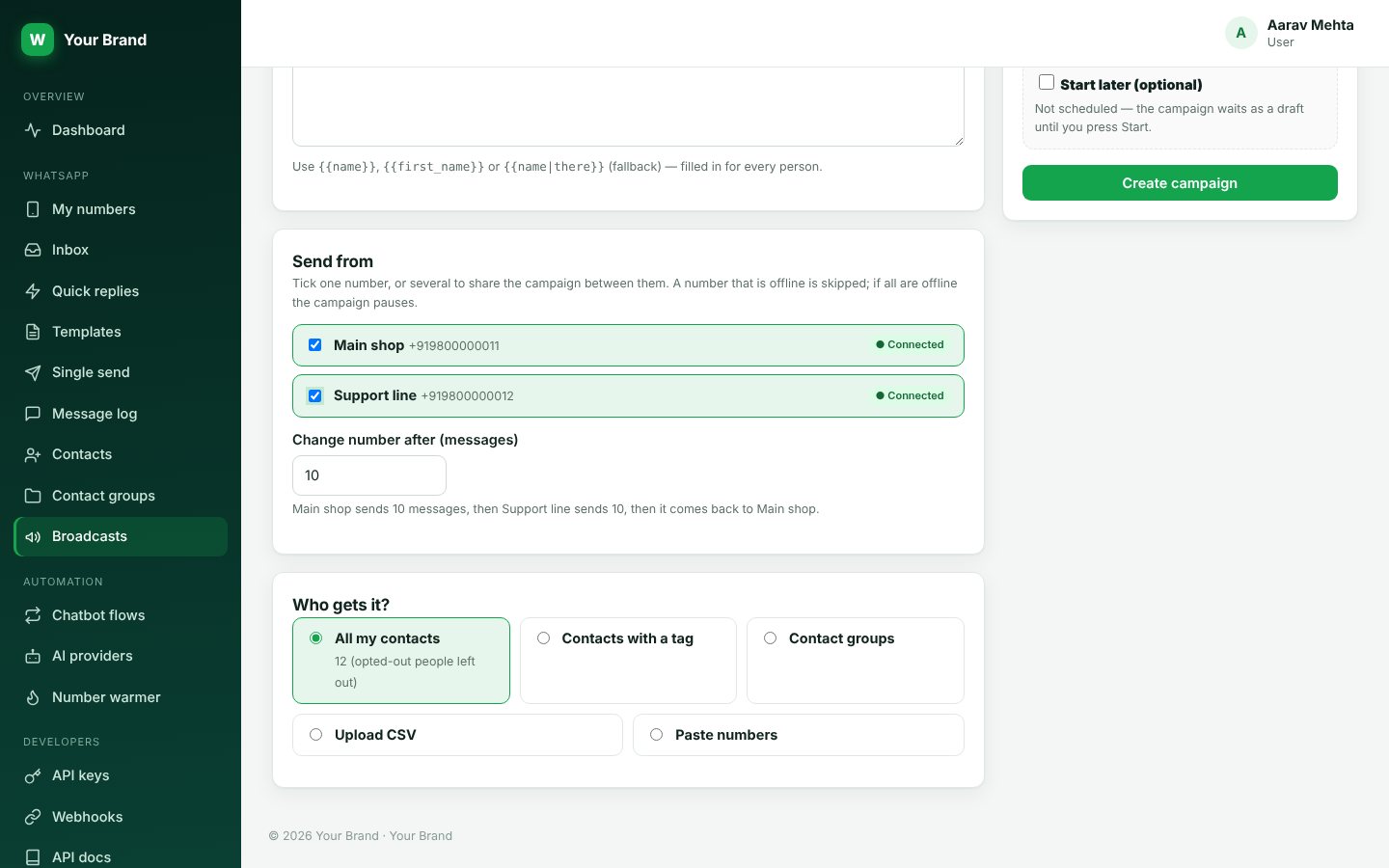
Broadcasts with rotation
Tick several numbers and the campaign is shared between them. Say how many messages one number sends before the next takes over, and offline numbers are skipped.
- Connected and offline badges on every number
- Start now or at a time you pick
- Pause, resume and watch results live
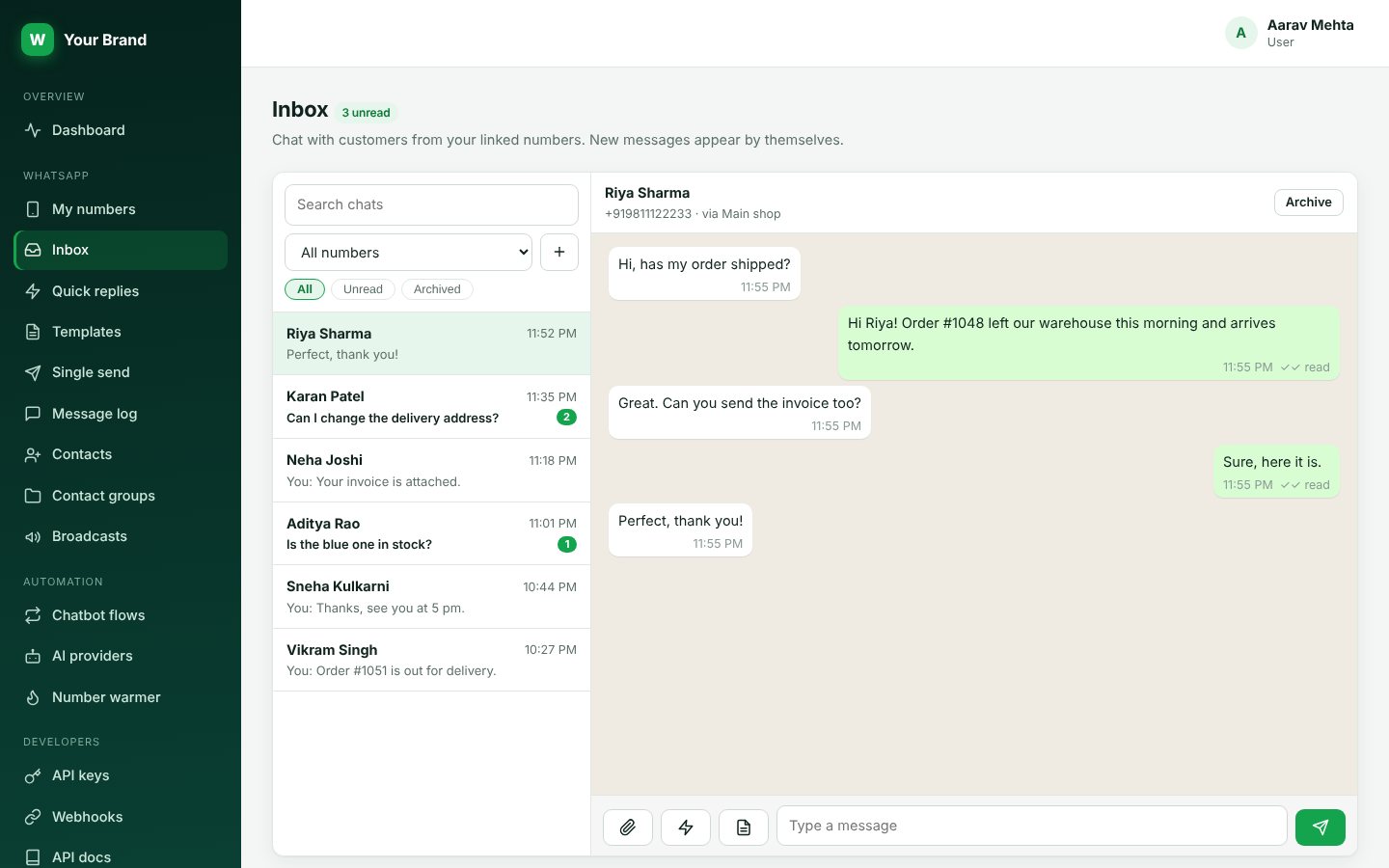
A live inbox for your team
Replies arrive as they happen. Open a chat, see who the person is and answer with text, a file, a quick reply or a template.
- Quick replies for short answers
- Templates for rich answers with buttons
- Every message saved in the log
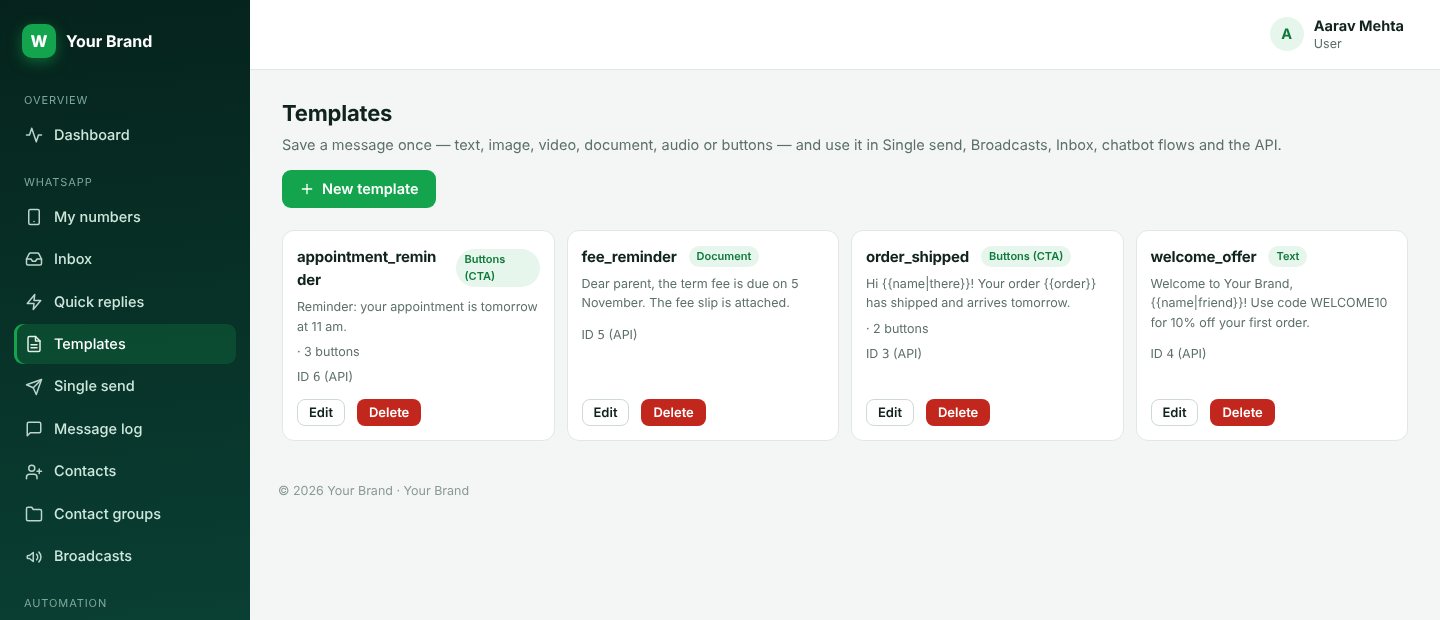
Templates for messages you repeat
Write a message once with its image, document and buttons. Use it from single send, broadcasts, the inbox, a chatbot step or the API.
- Variables like the customer name, with a fallback word
- Up to five buttons of mixed kinds
- An image, video or PDF header on button messages
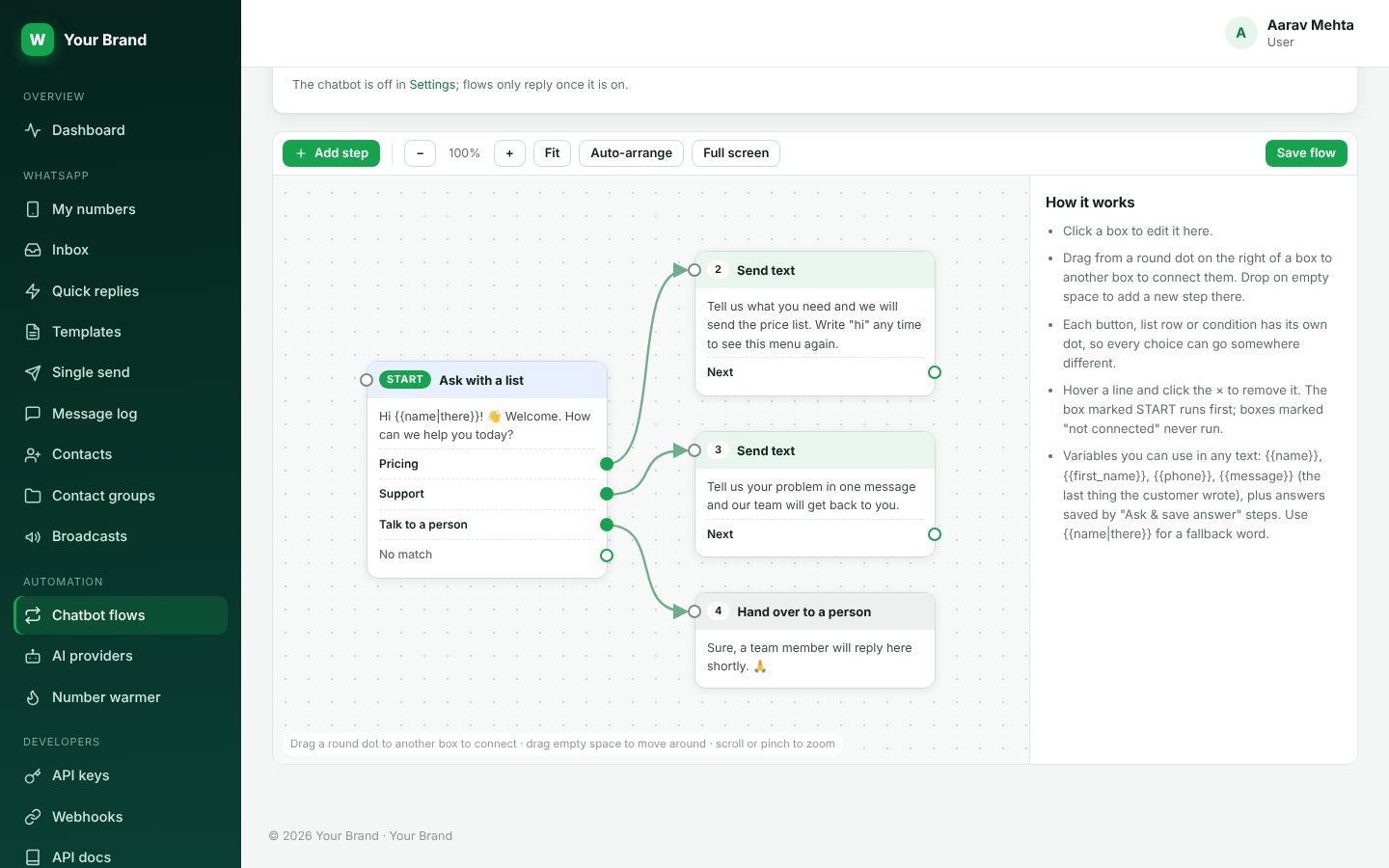
Chatbots on a canvas
Drag boxes, draw lines and zoom around a big canvas. It works on a phone too. Boxes you have not connected simply never run.
- Menus with buttons or lists
- Questions whose answers are saved
- Conditions, delays, hand-over and AI replies
An API your developer will like
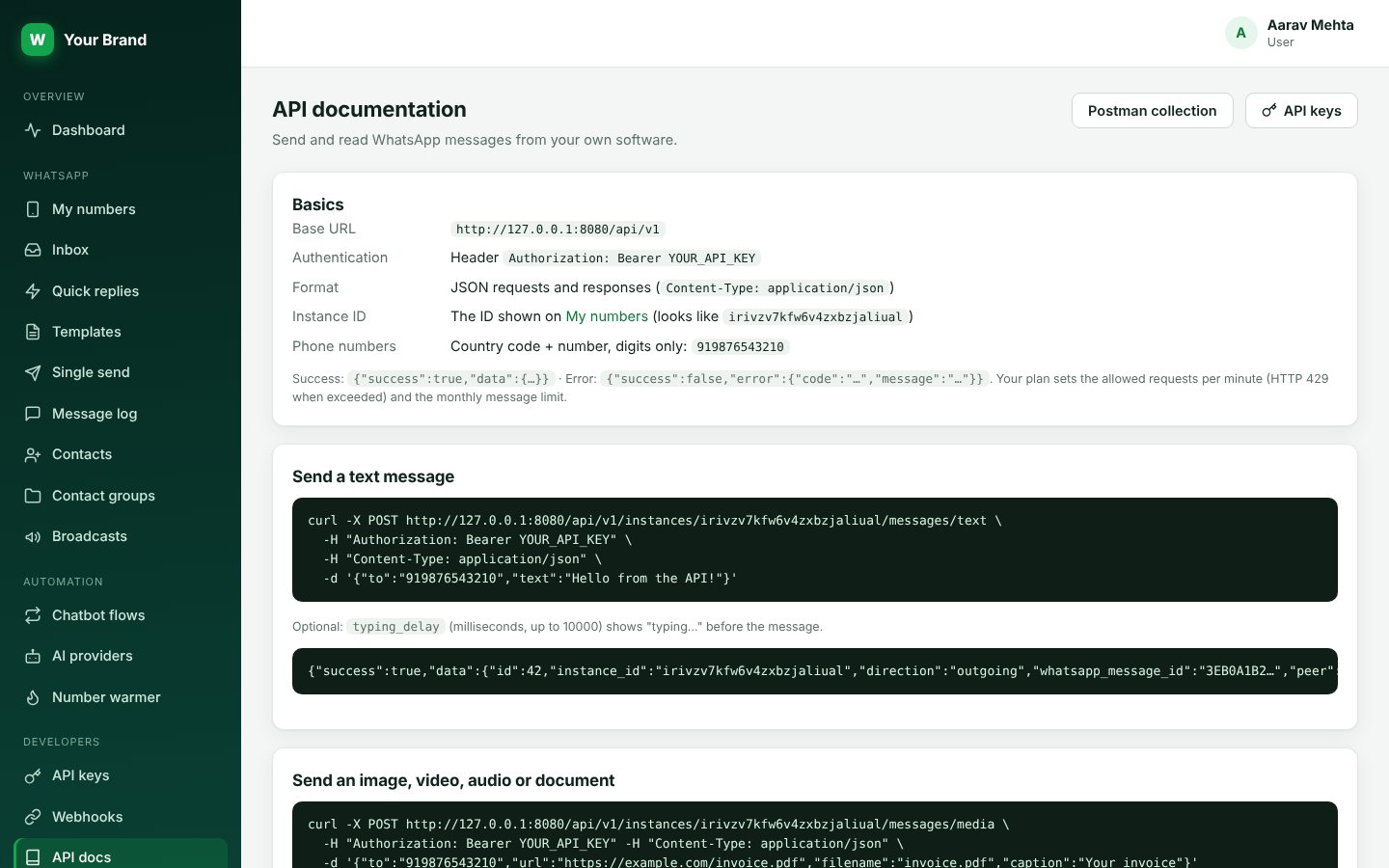
Every action in the panel has an API call. The docs inside your account fill in your own numbers and API key as you read.
- Bearer key, JSON in and out
- Webhooks for incoming messages and delivery status
- Postman collection to download
Where teams use it
Online stores
Order confirmed, shipped, out for delivery. Send each update on its own, with a button to track the parcel.
Clinics and salons
Appointment reminders the evening before, with a reply button to confirm or reschedule.
Schools and coaching classes
Fee notices, timetable changes and results to a whole class at once, with the file attached.
Real estate and services
Answer new enquiries in minutes with a chatbot, then pass the hot ones to your team.
Software and apps
Send alerts and account messages from your own code and read replies on a webhook.
Agencies
Run many clients from one account and give each client their own branded panel.
Start in three steps
Create your account
Sign up and pick a plan. It takes about a minute.
Scan the QR code
Open WhatsApp on your phone, link the device and your number shows as connected.
Start sending
Send from the panel, run a broadcast, switch on a chatbot or call the API.
Good to know
Is this the official WhatsApp Business API?
No. WATick WhatsApp Api links your own WhatsApp or WhatsApp Business number the same way WhatsApp Web does. It is not the Meta Cloud API, so there are no per-conversation Meta fees and no template approval, but the usual WhatsApp rules apply to your number.
Can my number get blocked?
WhatsApp can restrict numbers that send unwanted messages. Message people who expect to hear from you, keep the delay between messages, use the daily limit, and respect opt-outs. WATick WhatsApp Api gives you those controls but cannot guarantee how WhatsApp treats a number.
How many numbers can I connect?
It depends on your plan. Each plan shows how many numbers, messages a month and API requests a minute it includes.
Start sending on WhatsApp today.
Link your number, send your first message and see replies in your inbox in a few minutes.